 Discuss a project
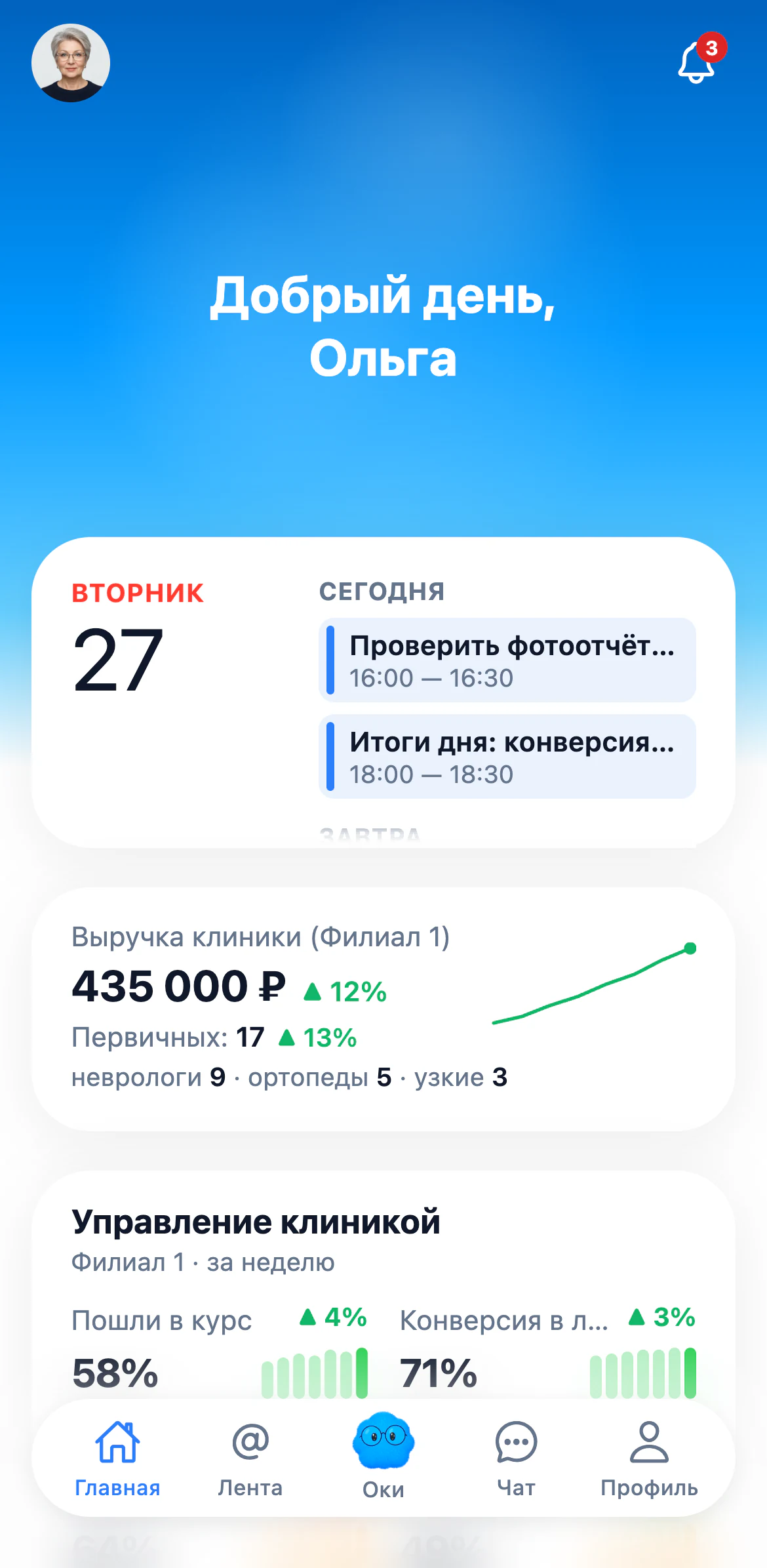
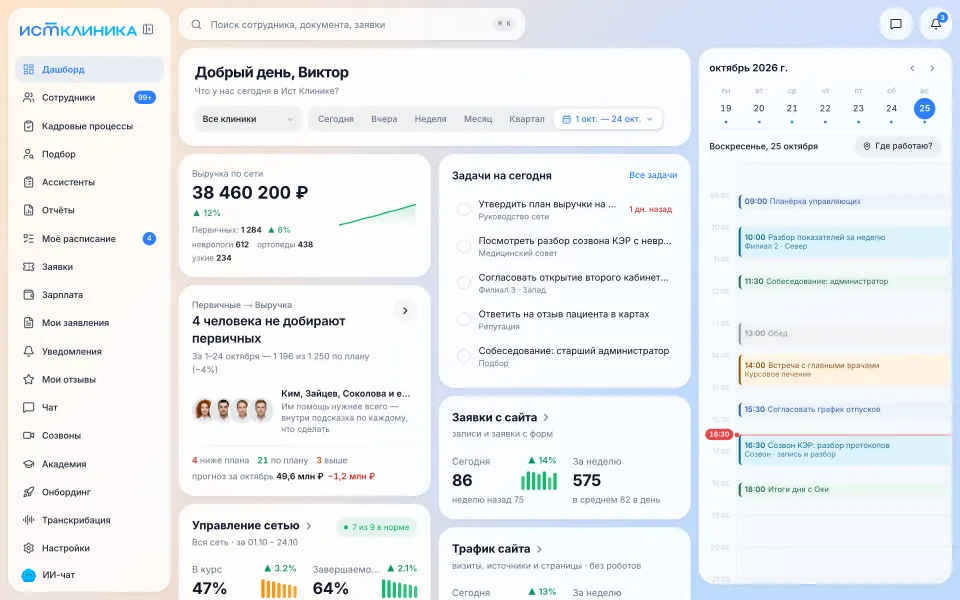
Manager dashboardRevenue, first visits and the patient path for every clinic
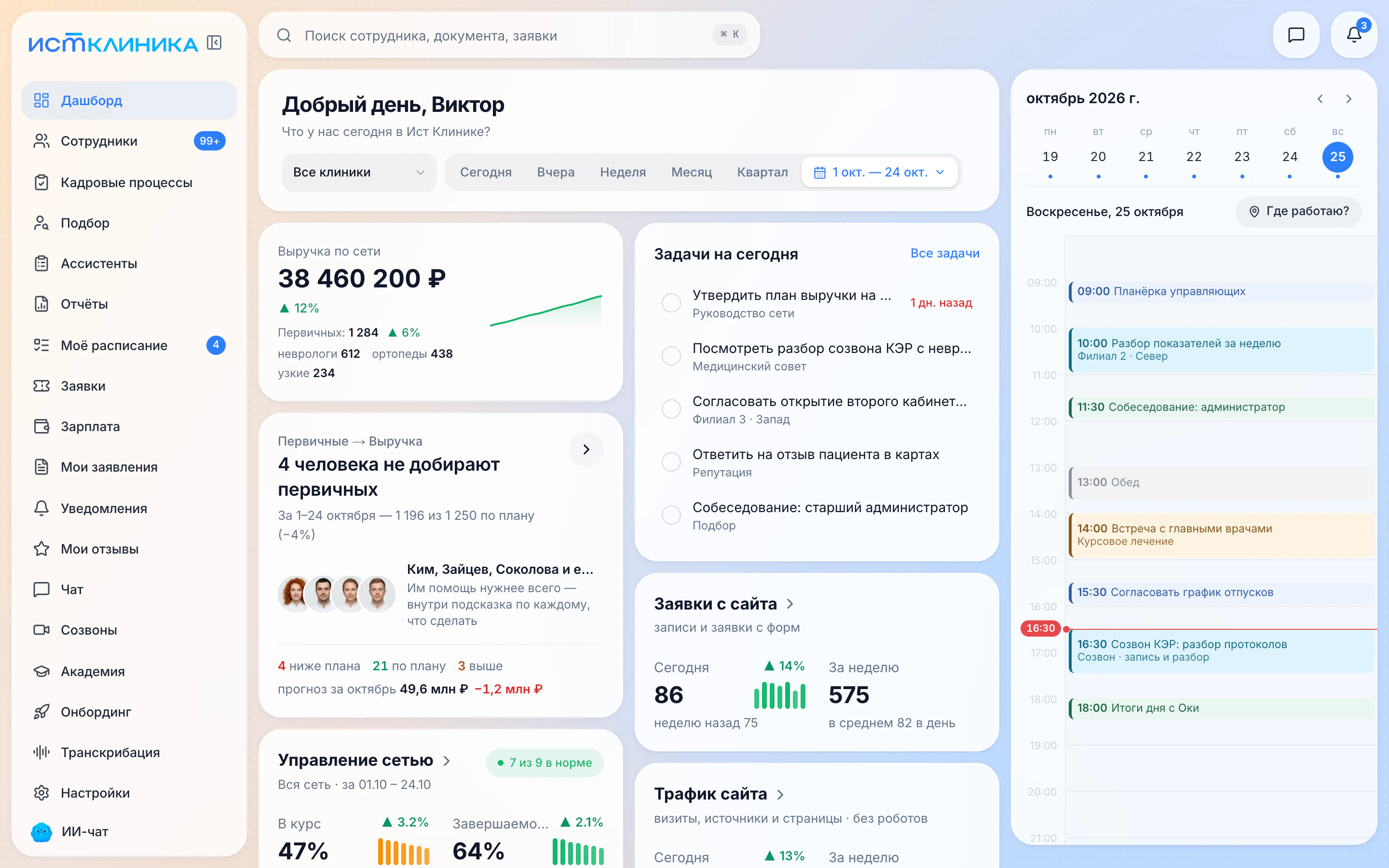
The internal system of a clinic network: schedule, patients, cash desk, reports, tasks and an AI assistant for ~300 staff
All people, faces, names and numbers on the screens are made up. No real employee or patient data is shown.
The clinic network lived in several programs and spreadsheets: the schedule in one, tasks in chats, reports put together by hand. It needed one system where everyone, from a doctor to the director, sees their own work and gets it done faster.
staff work in the system every day
system instead of spreadsheets and chats
assistant built into every section
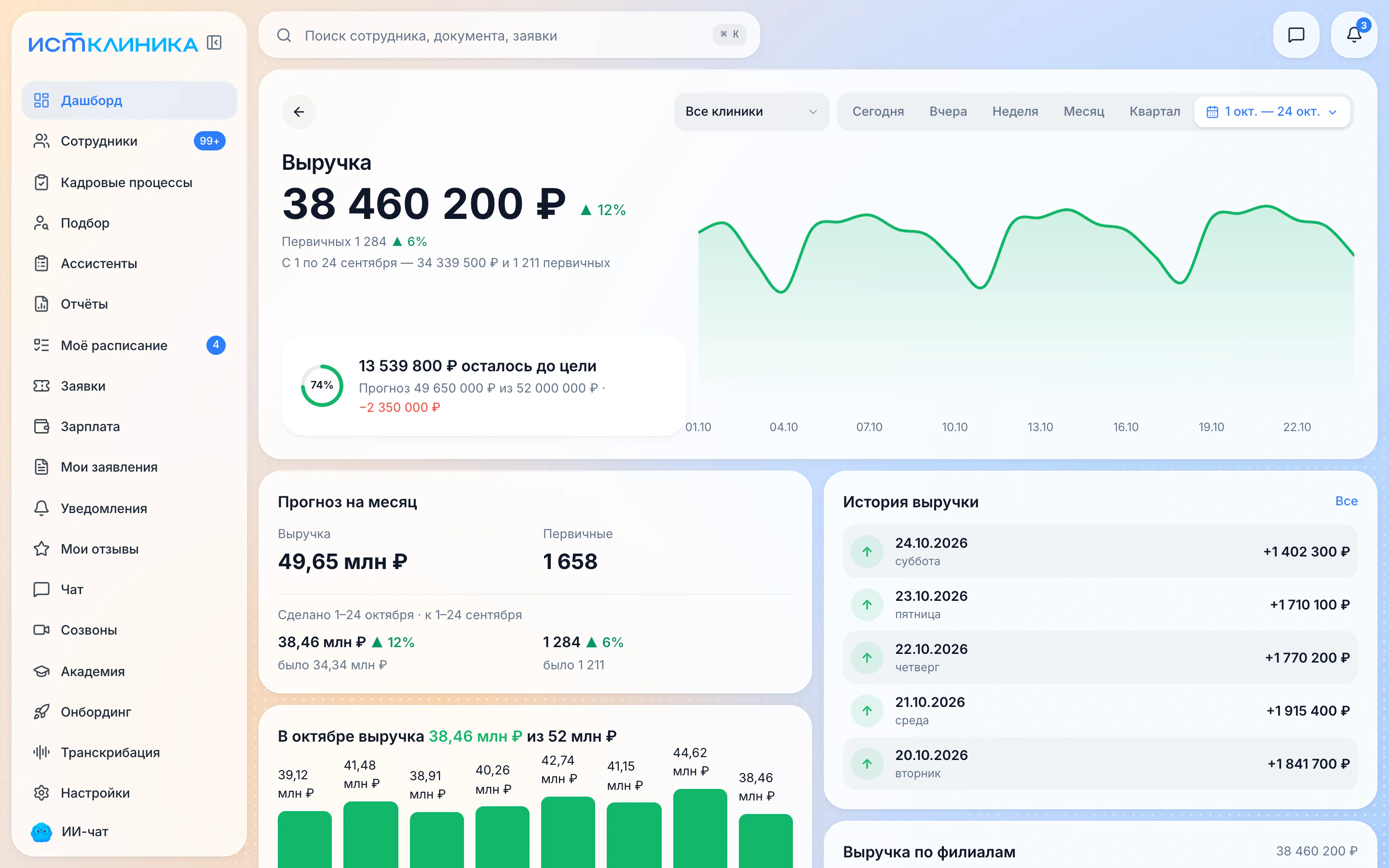
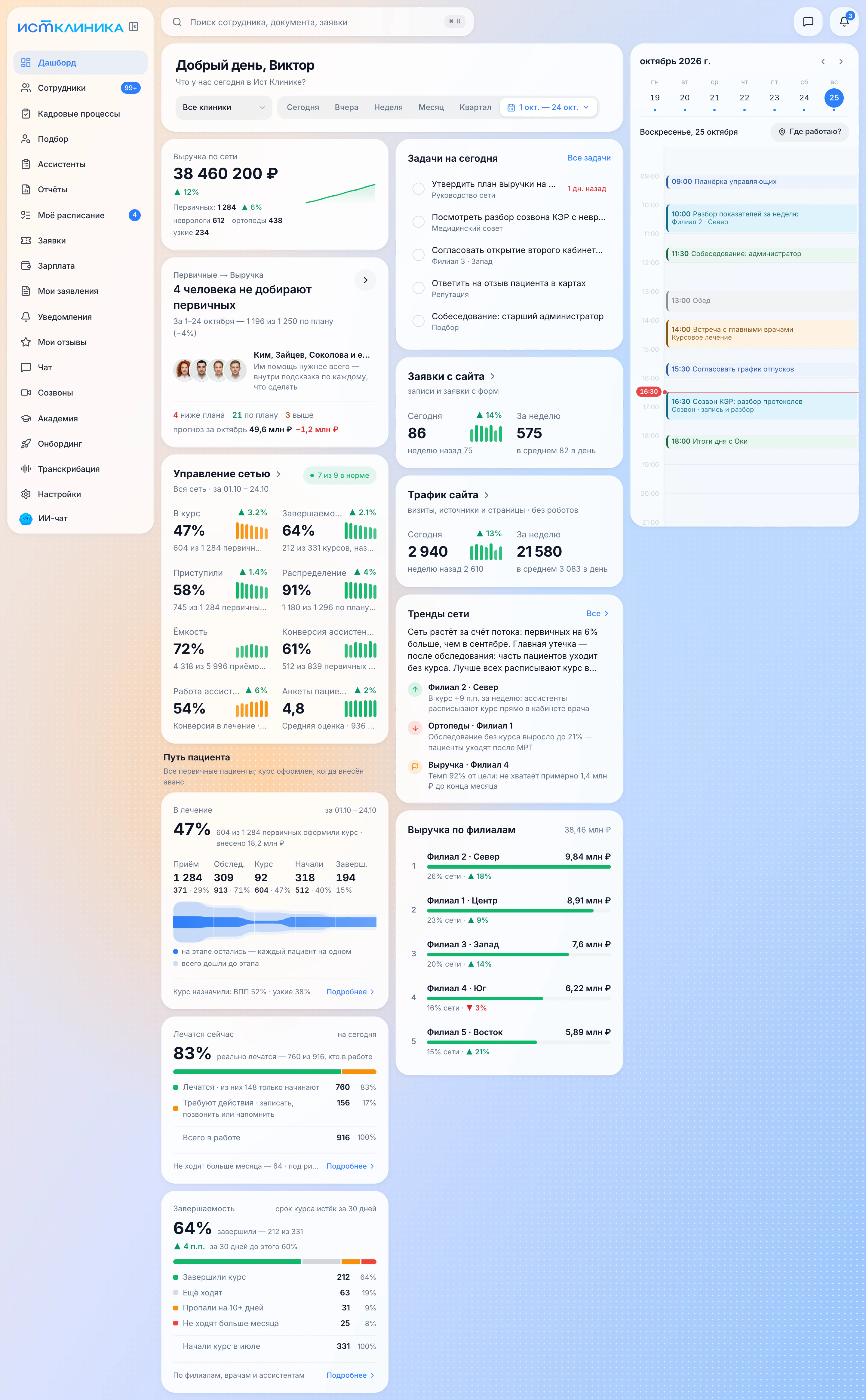
The dashboard brings together revenue, first visits, conversion to treatment, website requests and reviews for every clinic. Numbers are recalculated nightly from the working system, and each one opens a list of the actual patients and doctors.
A metric opens down to the clinic, the doctor and the patient. You can see what changed this week and why.
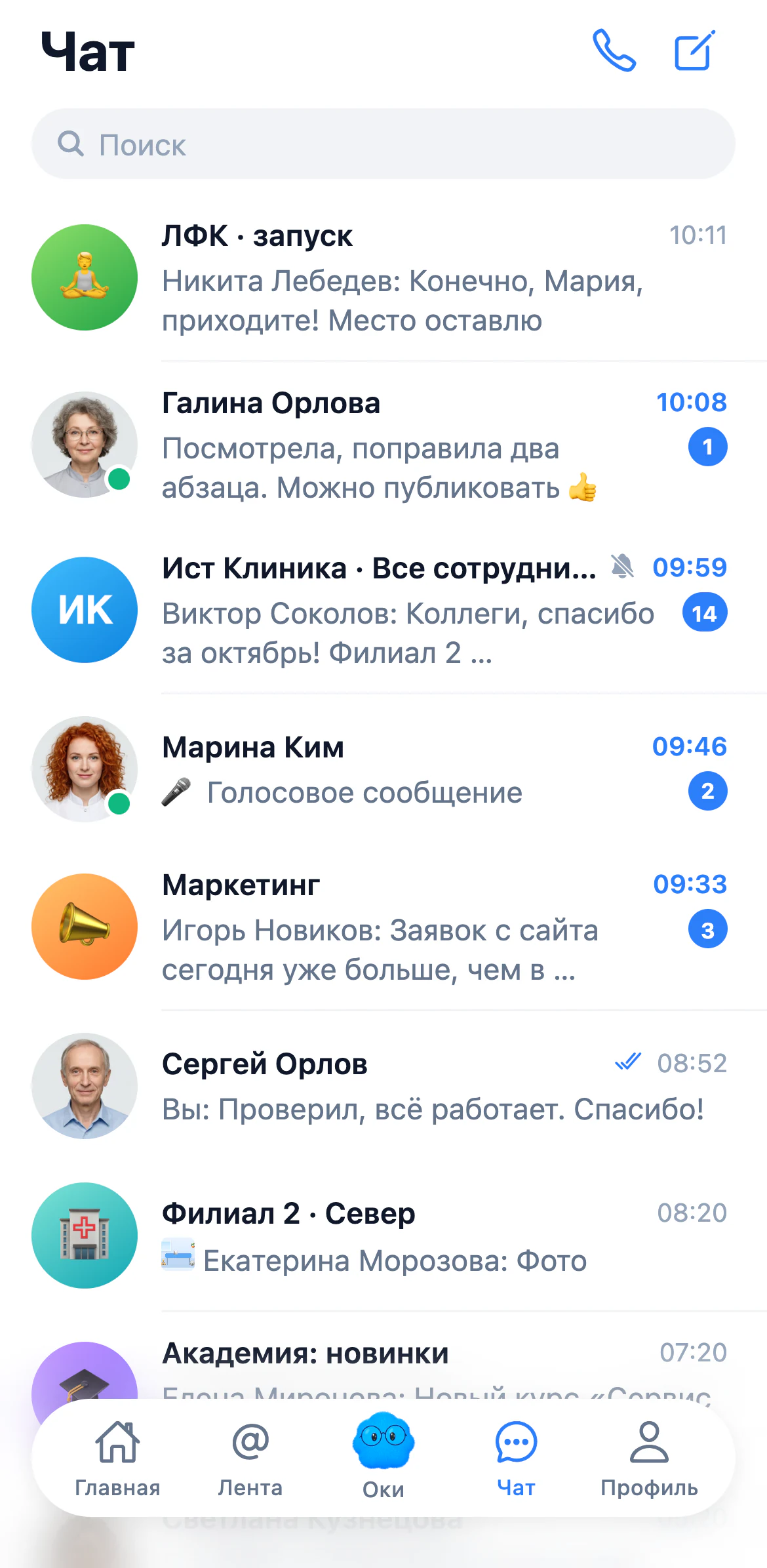
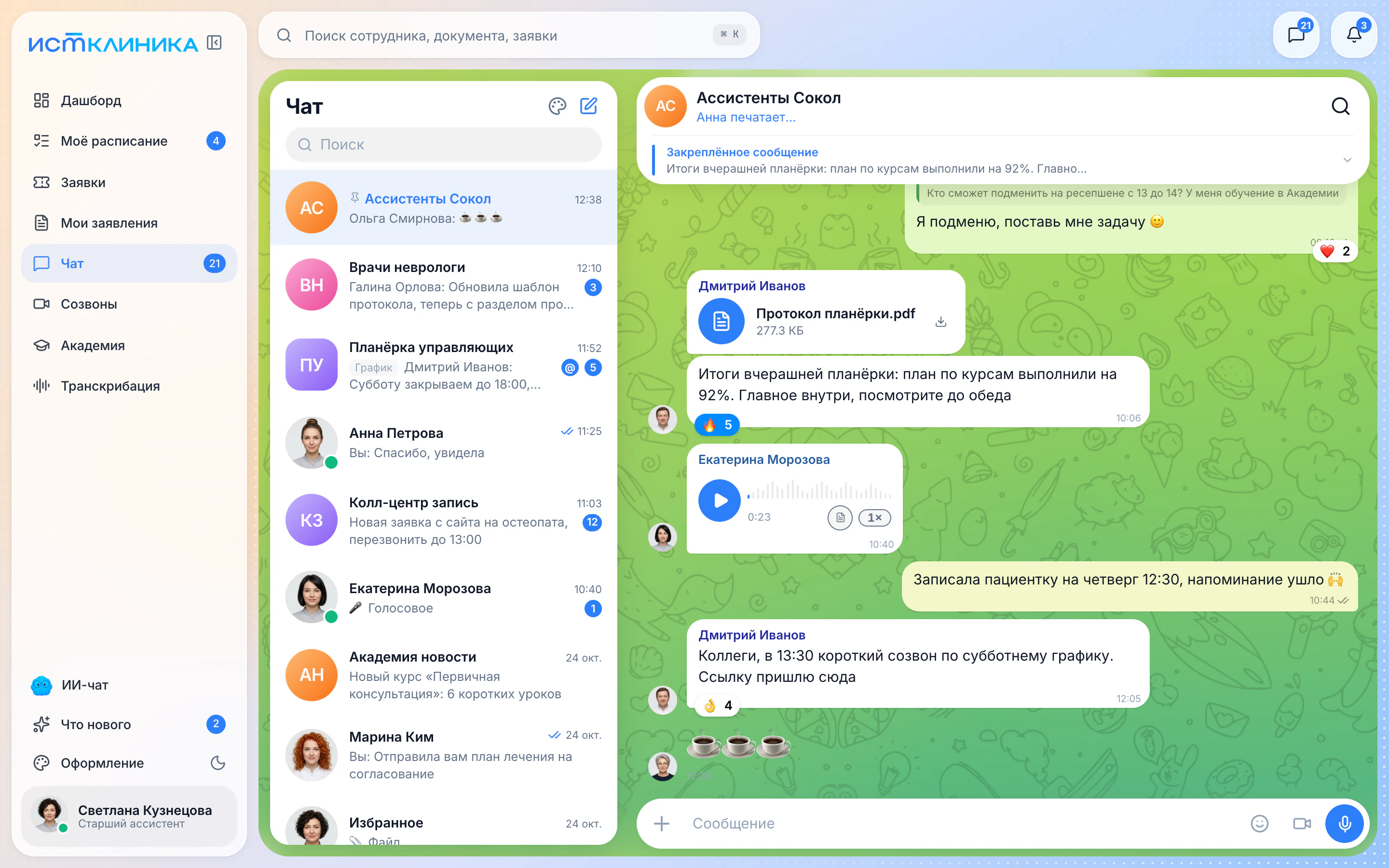
Its own secure chat inside the portal and the app: groups for clinics and departments, files, voice notes, video circles, reactions and calls. A dismissed employee leaves all groups automatically.
Groups and topics. by clinic and department
Calls. right from the chat
Files and voice. with a built-in viewer
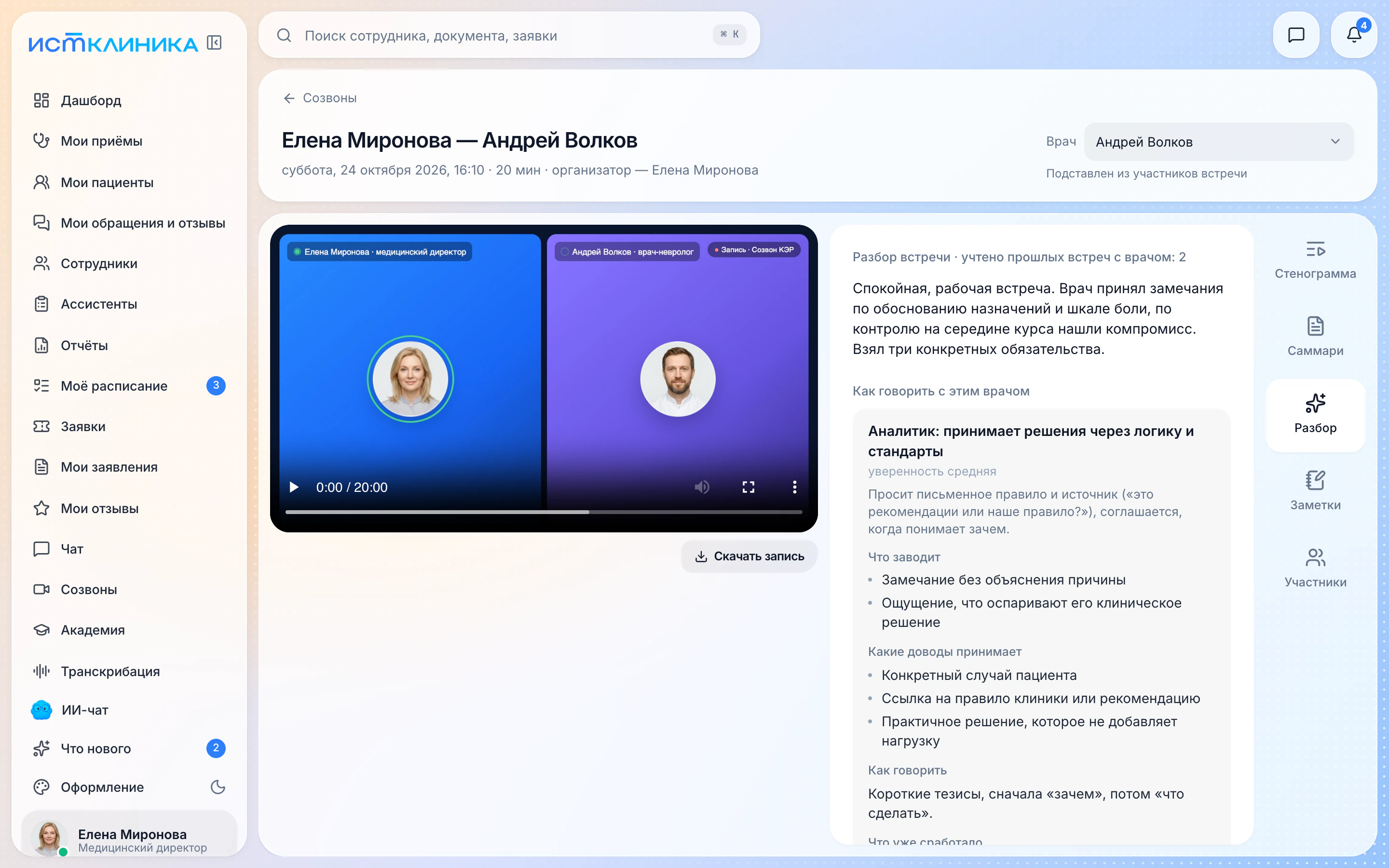
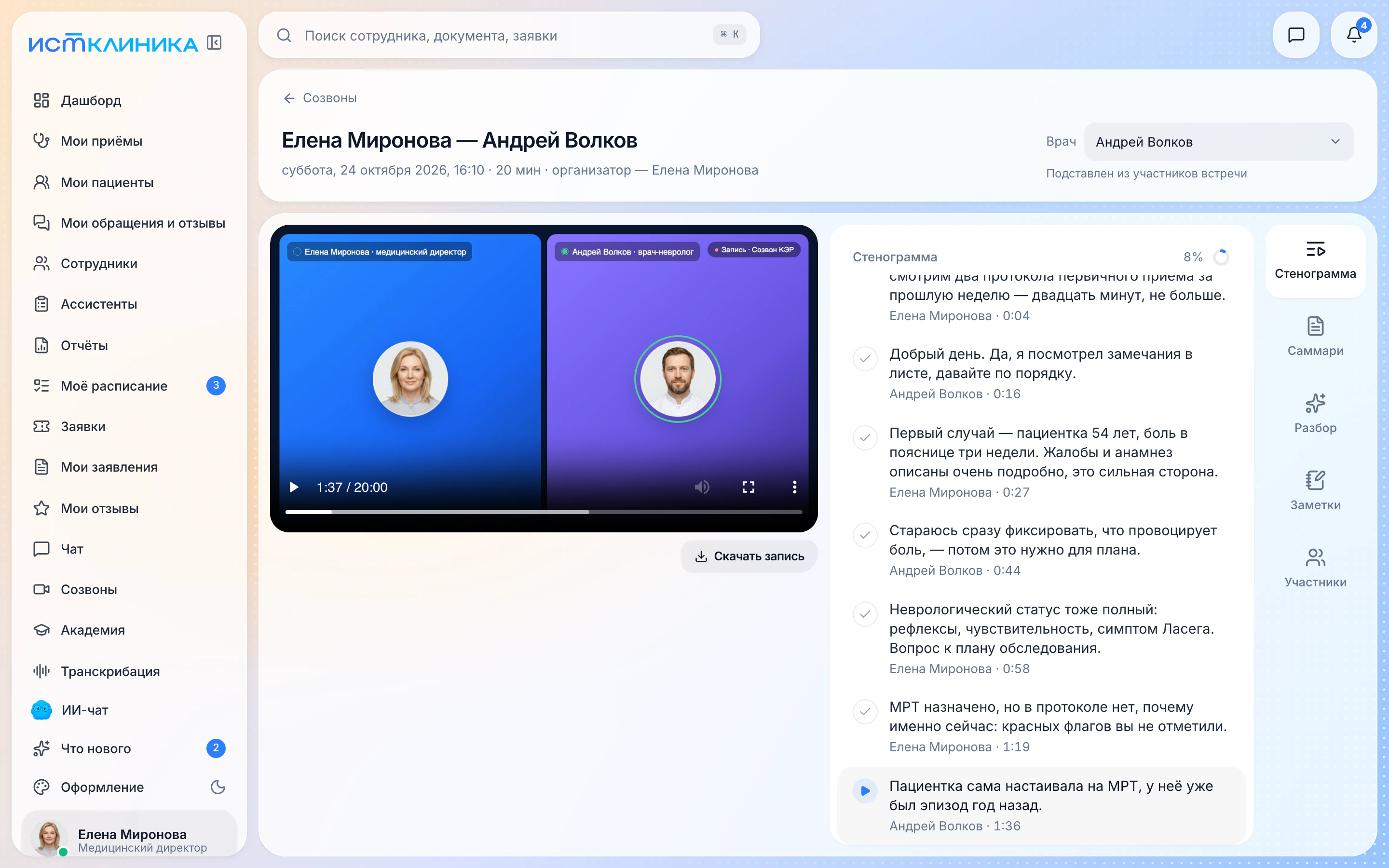
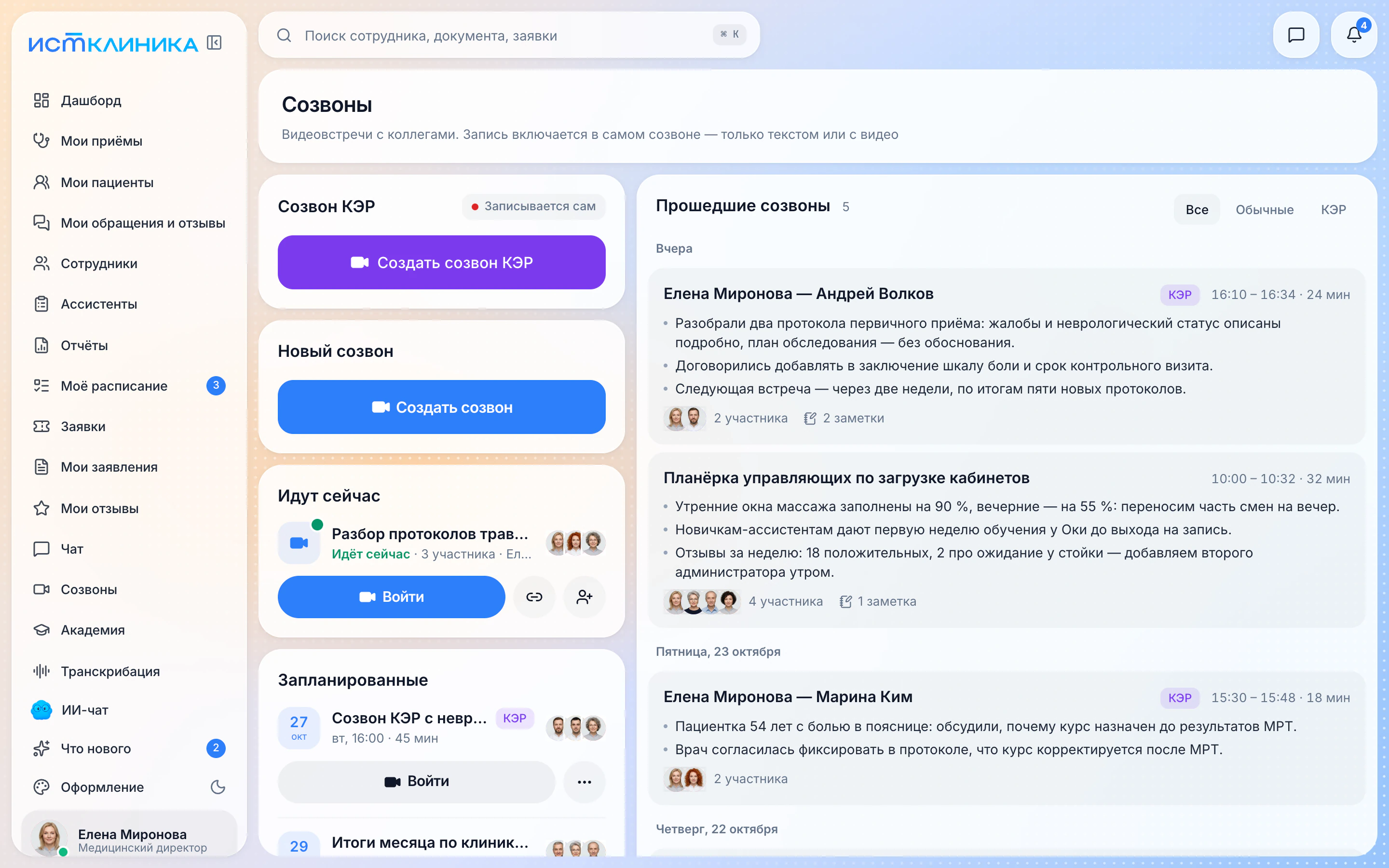
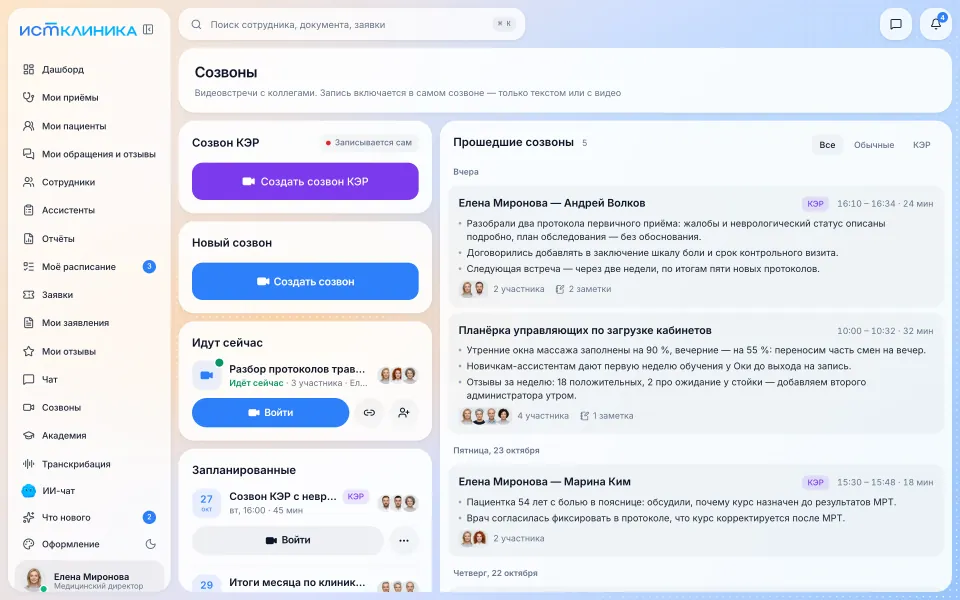
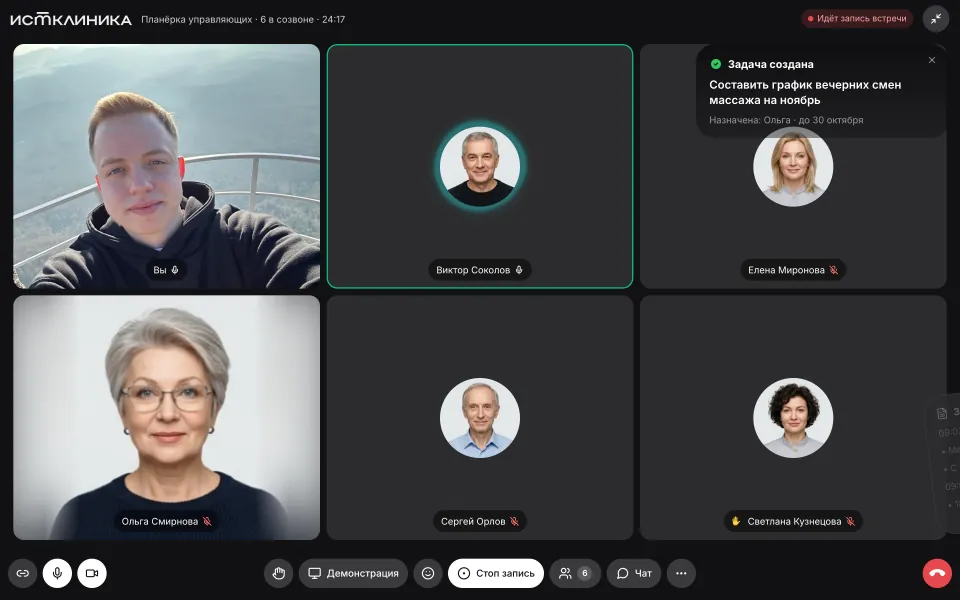
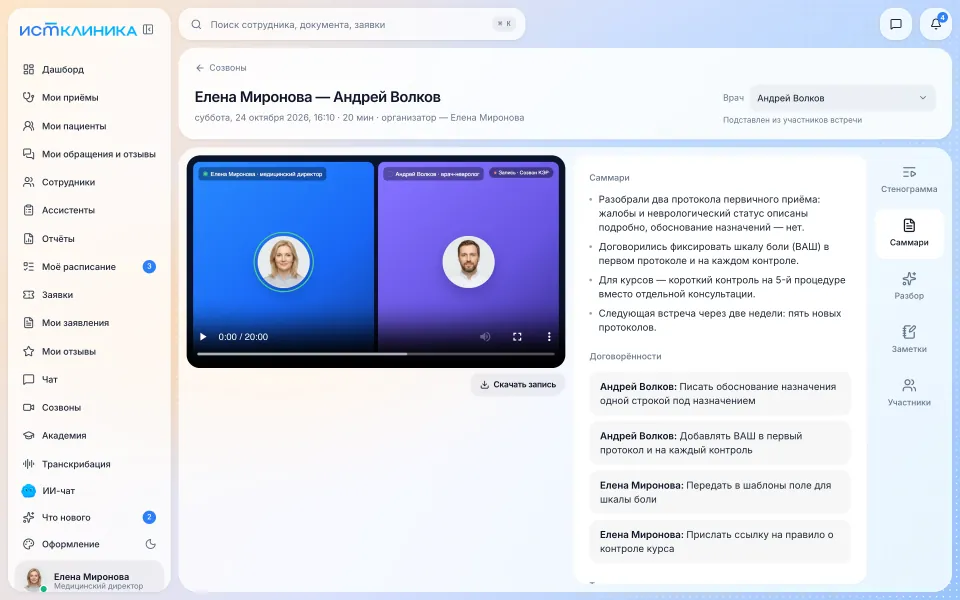
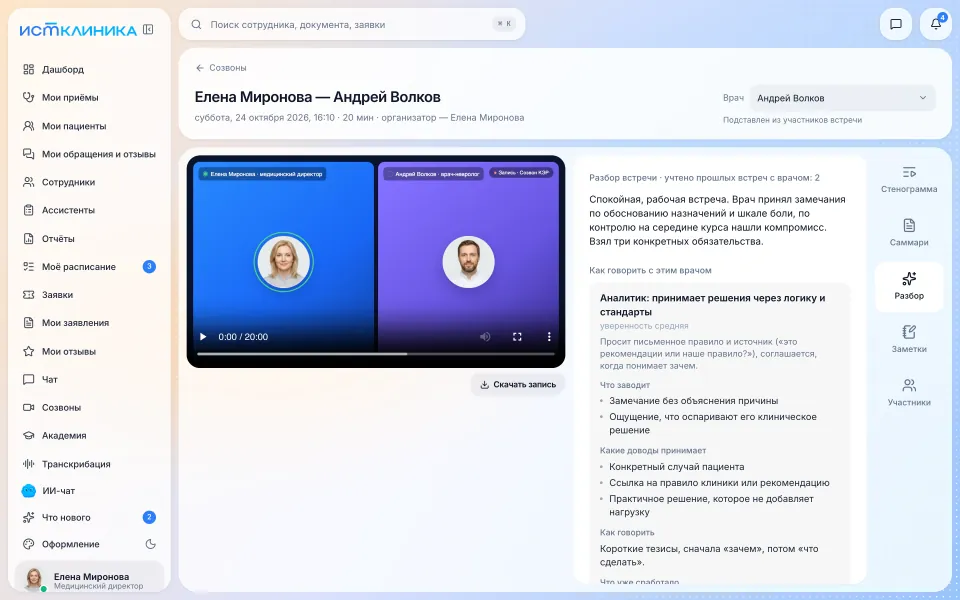
Stand-ups, reviews and calls with doctors happen right in the portal and the app. During a meeting participants write shared notes and create tasks; afterwards you get the recording, transcript and summary. Calls go through the clinic’s server, without Zoom or other third-party services.
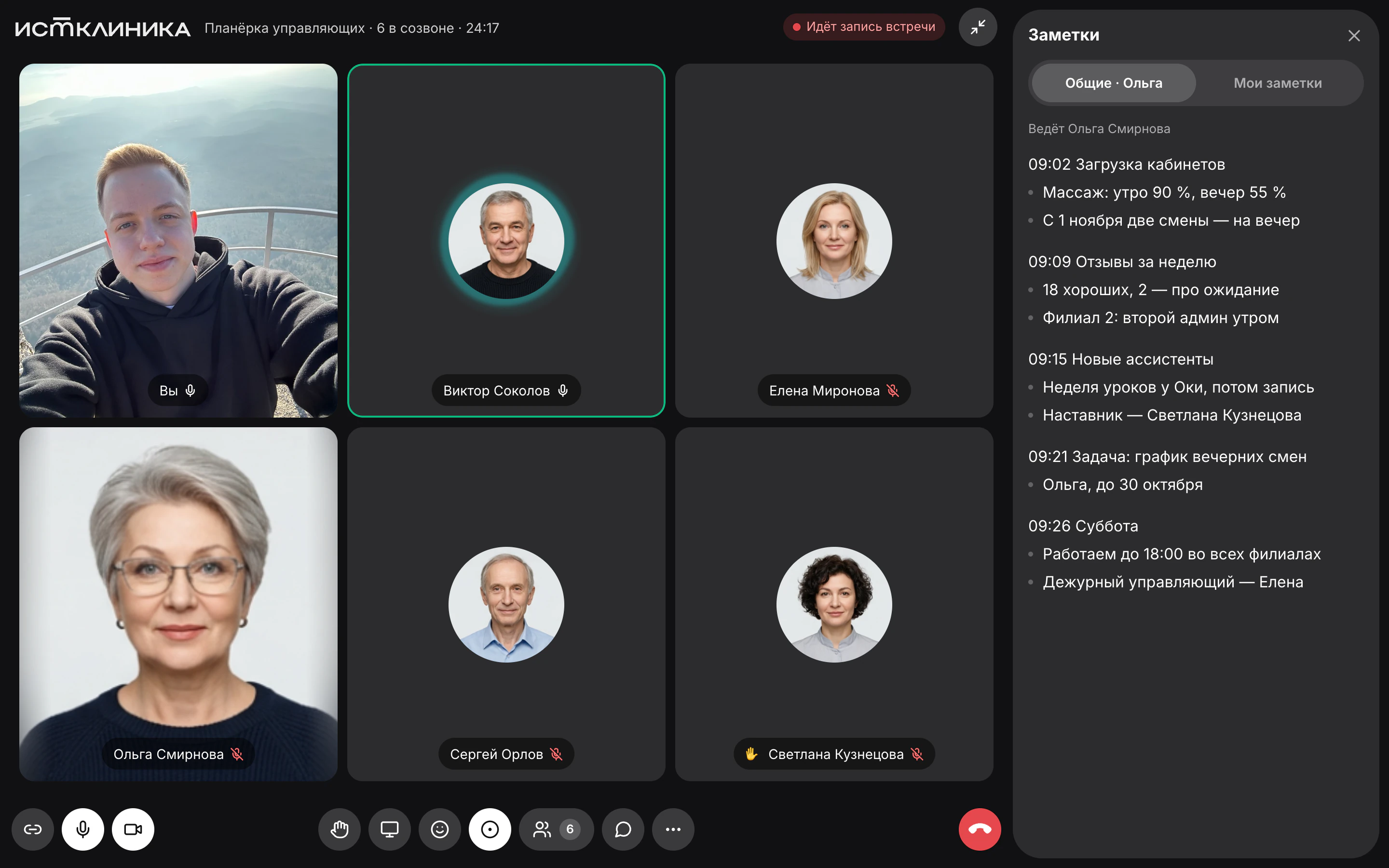
Video and voice. from computer and phone
Shared notes. and tasks right in the meeting
Own servers. recording and review stay inside
Video calls right in the portal. After a meeting you get the recording, a transcript by speaker and a summary. For medical leadership, Oki prepares a review: the doctor’s strengths, sensitive moments and a plan.
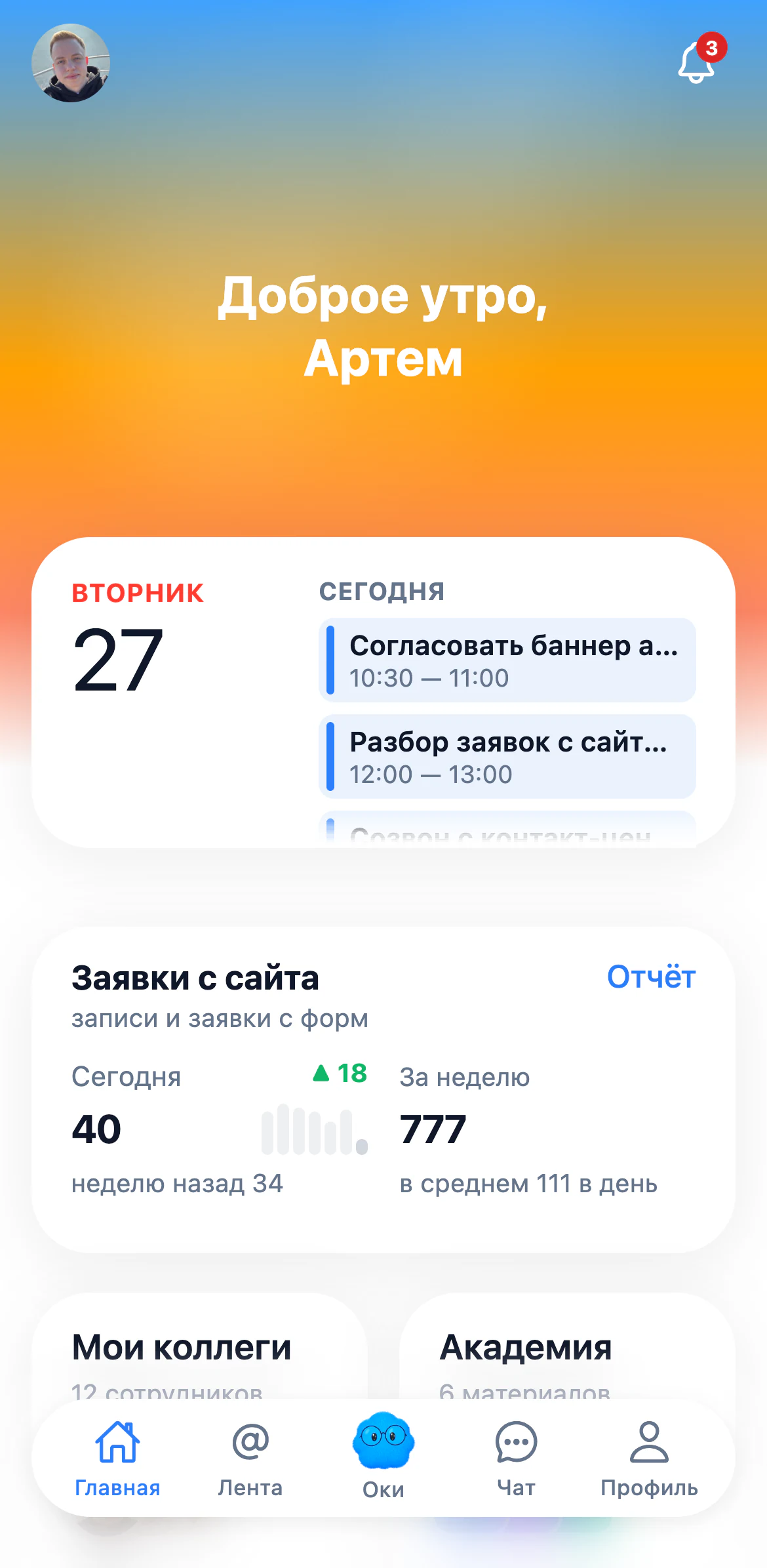
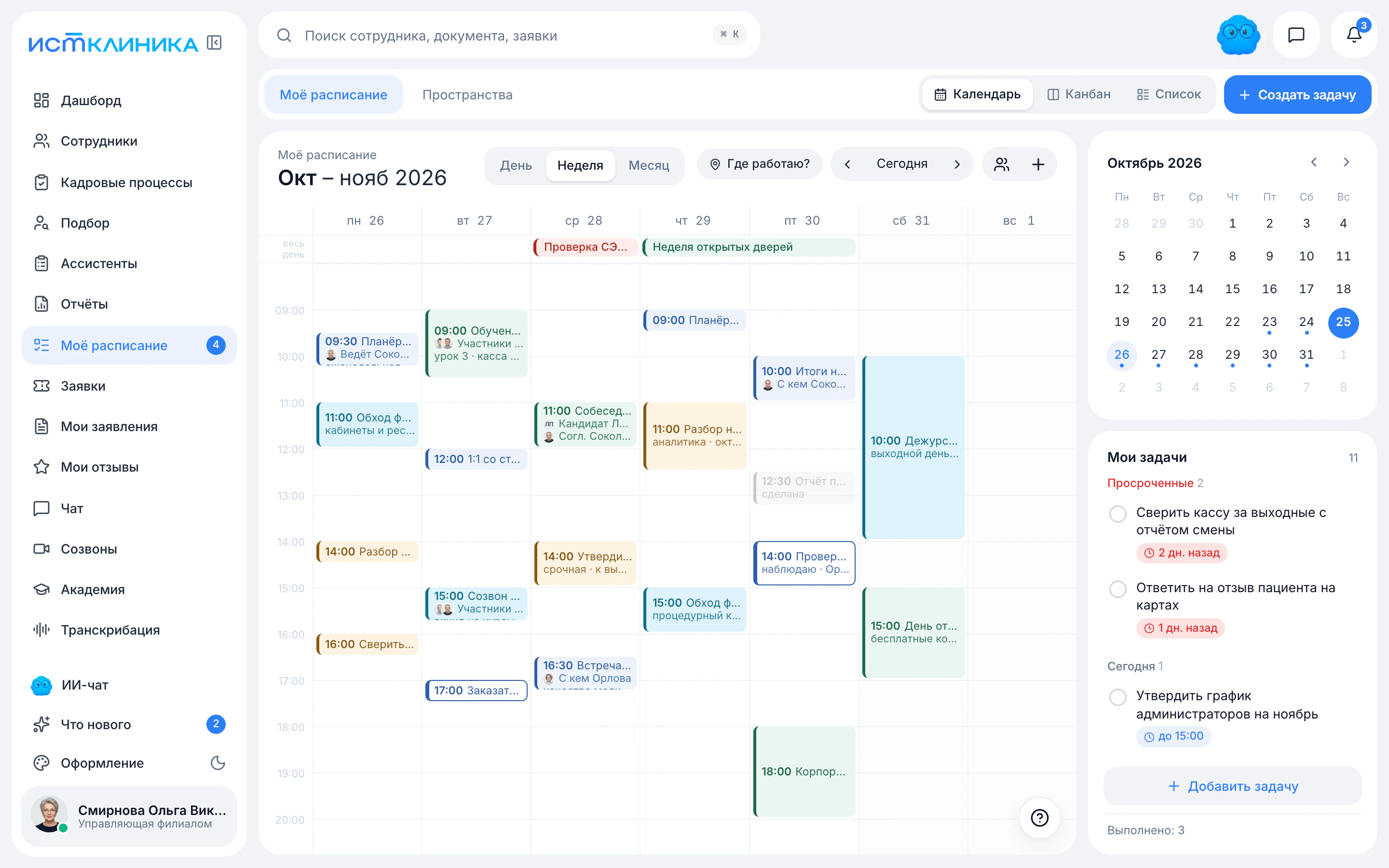
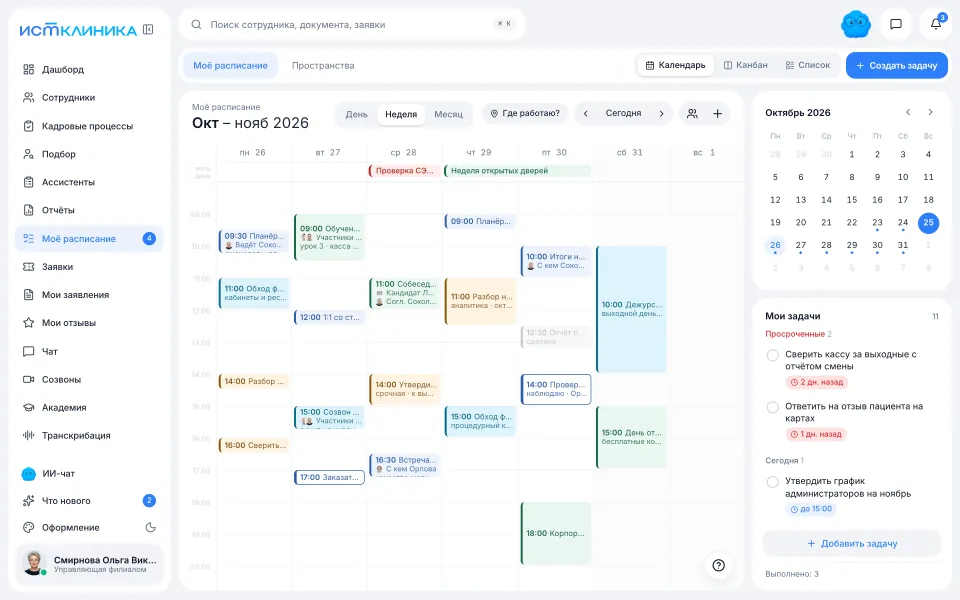
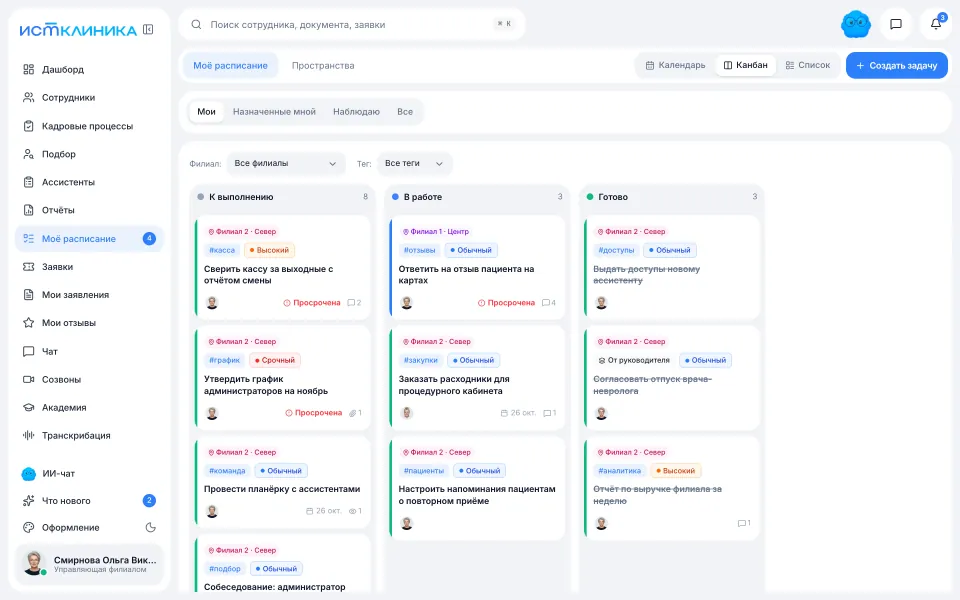
An employee’s shifts, calls, tasks and reminders. Tasks can be a list, a kanban board or grouped by process, and Oki reminds you about a meeting in advance.
Calendar and kanban. one task list
Reminders. in the portal and the app
Processes. offboarding, hiring, training
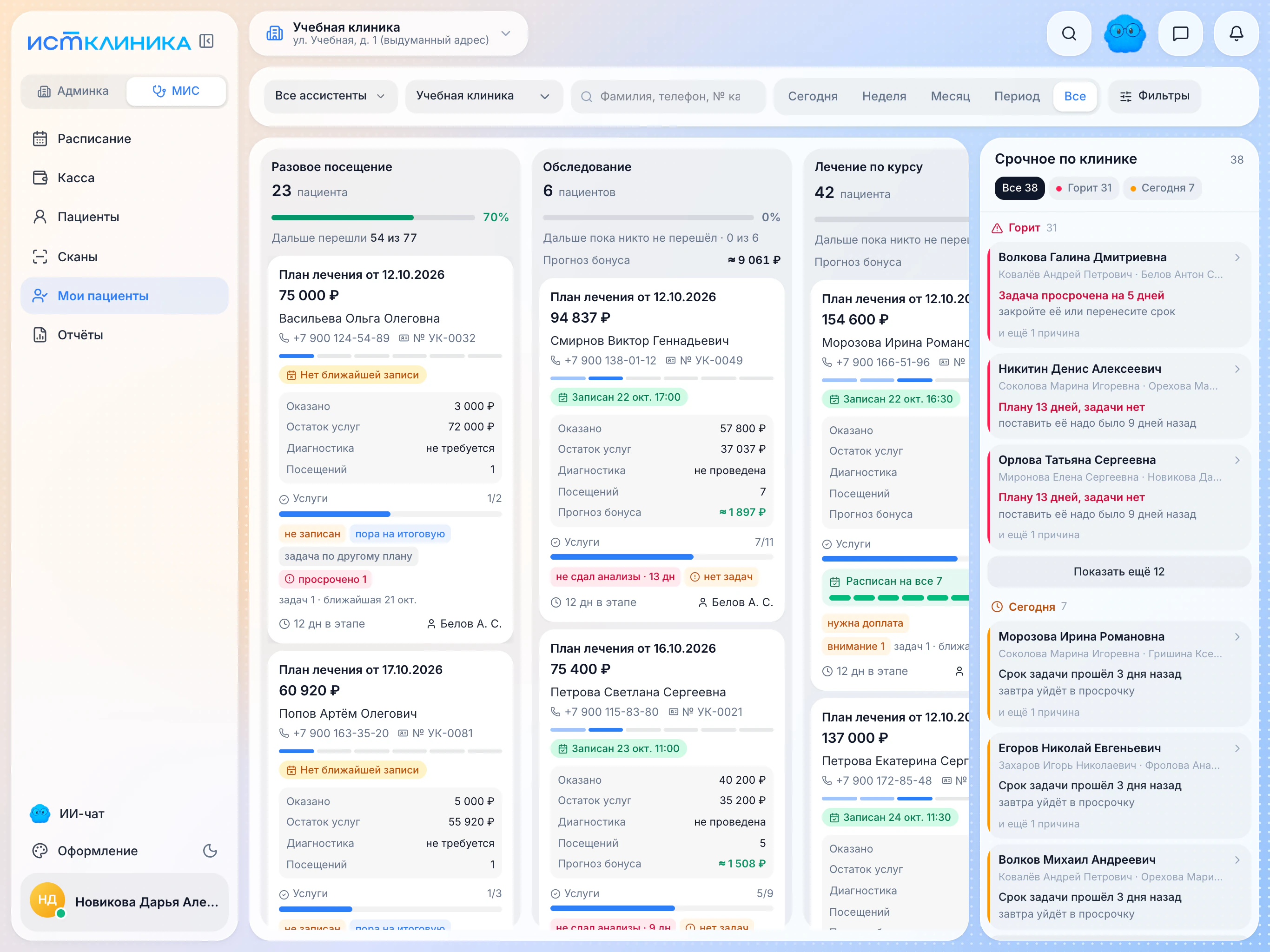
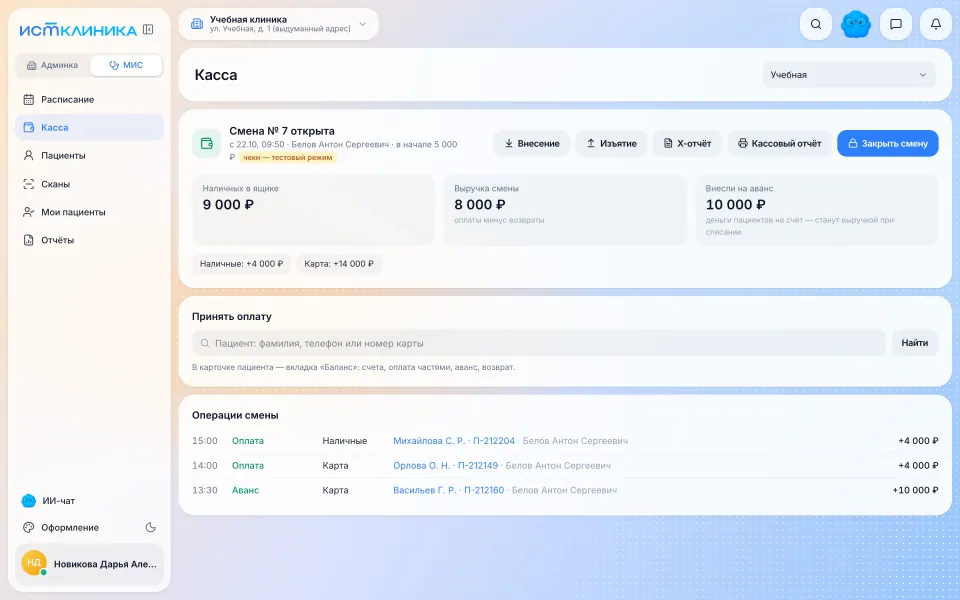
Doctors’ schedule, a cash desk based on the patient’s advance and a “My patients” board where everyone follows a treatment plan. Assistants train in a practice clinic with made-up patients.
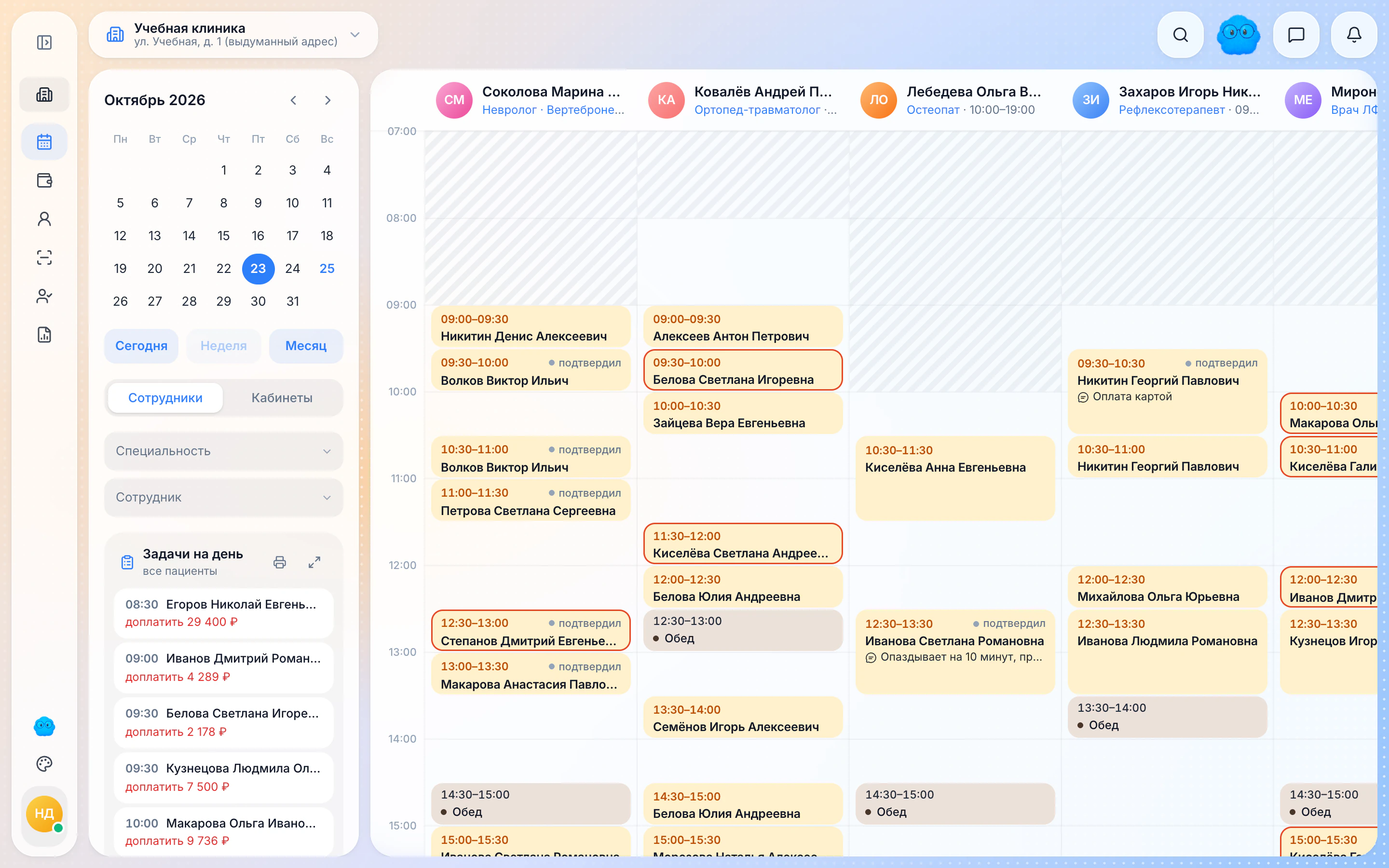
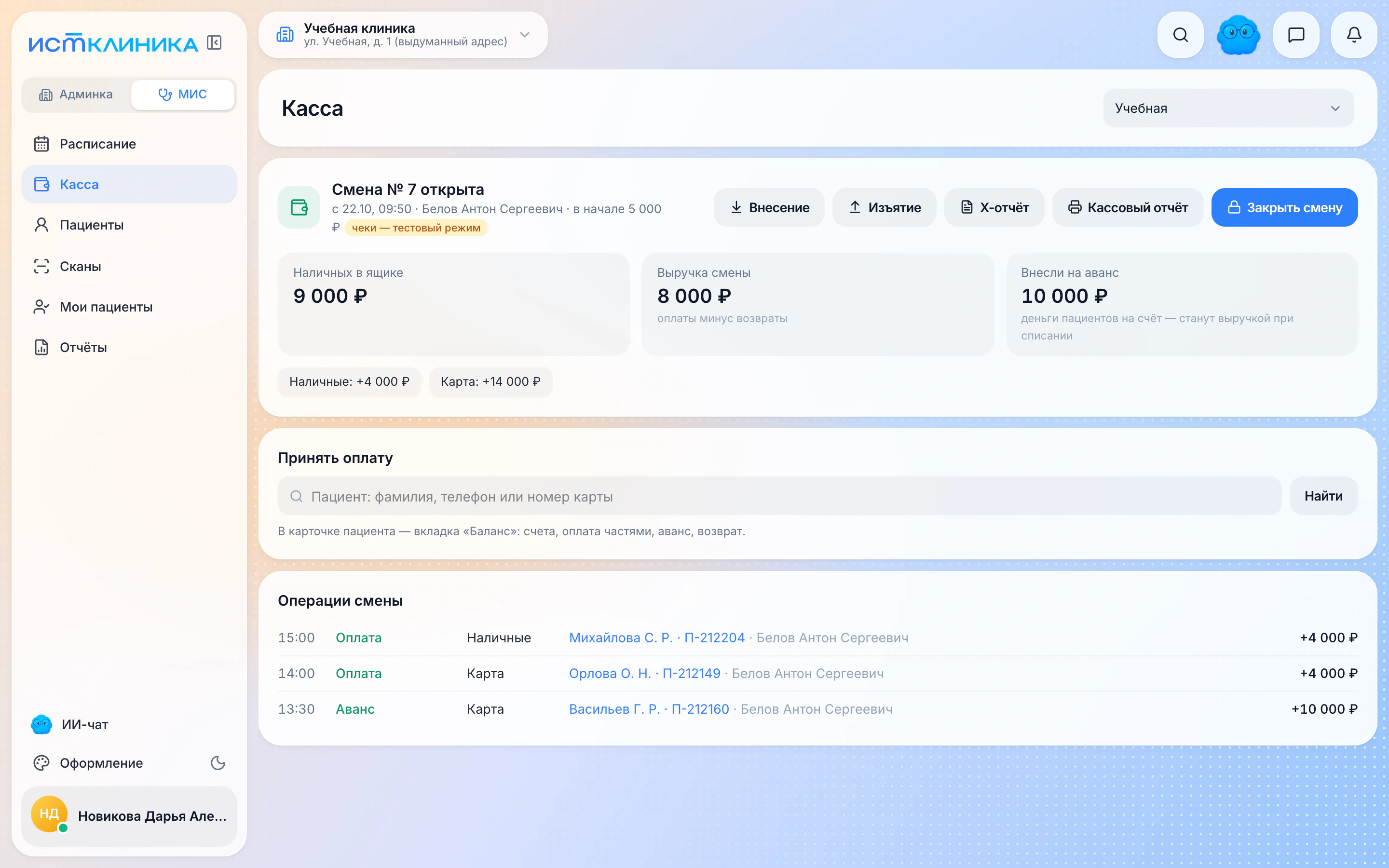
Around three hundred clinic employees start the day in one window. Schedule, tasks, chat, training and reports live in the portal, not scattered across apps and messengers.

Oki is built into the portal and the app. You call it by holding the space bar or with a button, and ask by voice or text. It knows the knowledge base and the portal’s sections, fetches data itself and answers within the employee’s permissions.
Listening…Recognising…
speakrelease space
OkiI can help with “Dashboard”
How many first visits did branch 2 have this week, and which doctors dropped?
Opening the “First visits” report…
Opened “First visits”: 86 this week
Comparing with last week…
Compared with last week: −9%
Checking doctors’ schedules…
Checked branch 2 doctors’ schedules
Suggests what to tell a patient, finds a service in the price list, sets a task and opens the right section. Every answer links its source.
OkiI can help with “Schedule”
What do I tell a patient about the course format?
Searching the knowledge base…
Found the article “Course format”
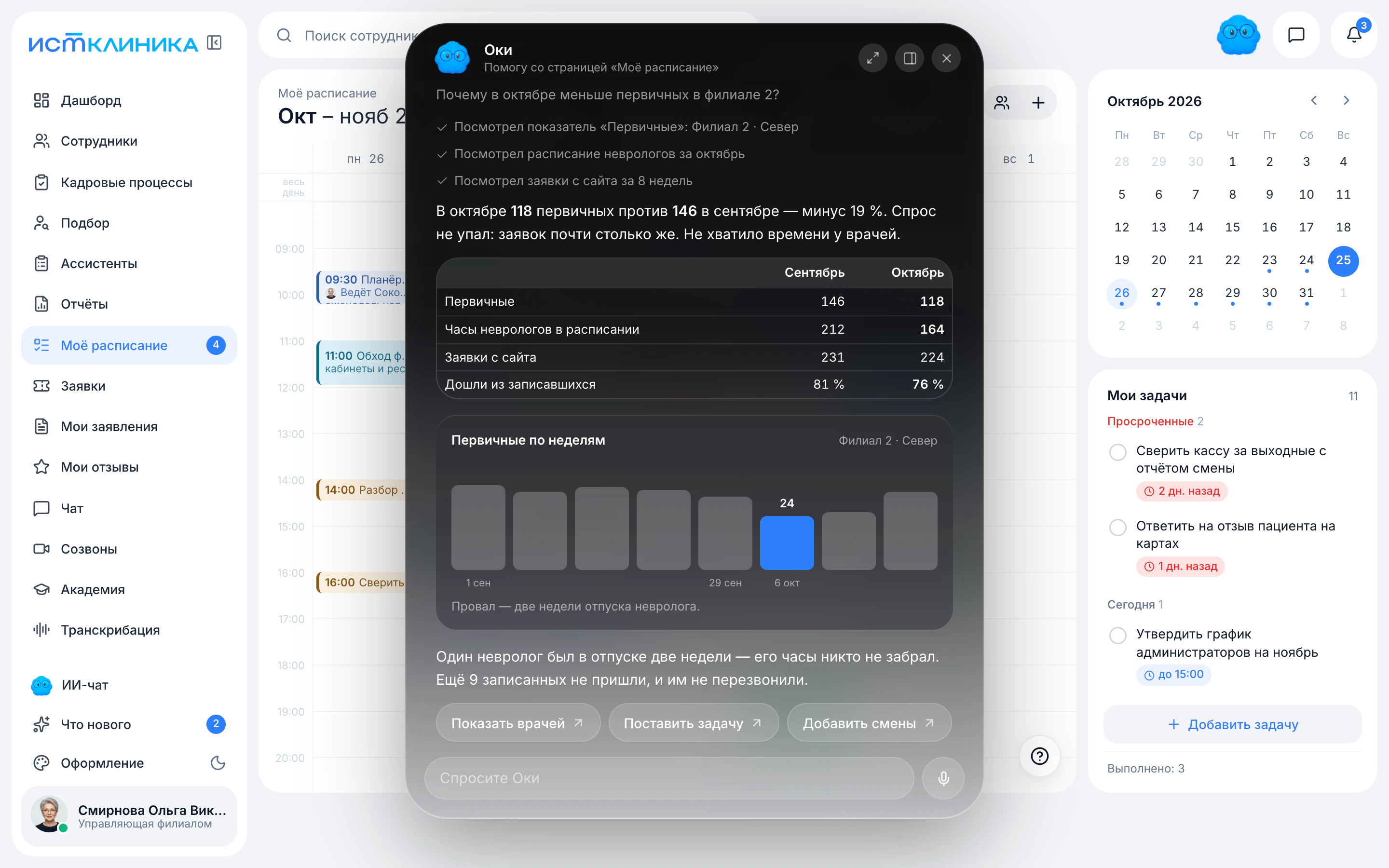
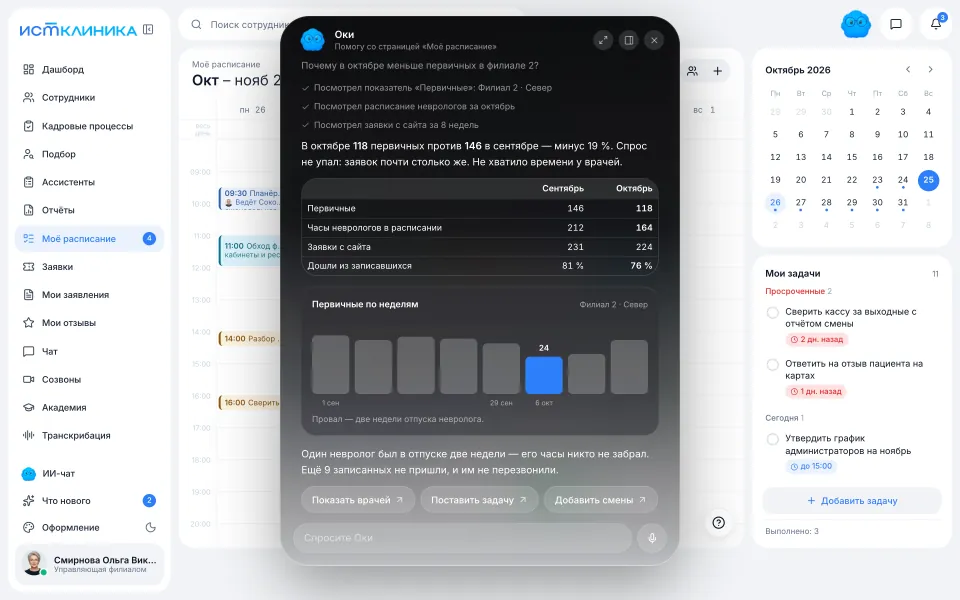
Collects data from reports step by step, draws a chart and explains what changed. Creates a task for the clinic manager in one tap.
OkiI can help with “Revenue”
Why are there fewer first visits in October?
Looking at first visits by week…
Looked at first visits by week: 7 weeks
Comparing branches…
Compared branches: 2 of 5 dropped
After a meeting it reads the transcript and prepares a review: how to talk with the doctor, sensitive moments and what to discuss next.
OkiI can help with “Calls”
Review yesterday’s call with Volkov
Reading the transcript…
Read the recording and transcript: 24 min
Comparing with previous meetings…
Compared with two previous meetings
Every morning it compares requests with the usual level and comes to you with the cause: no slots, a broken form or the season. Code counts, the model only explains.

Requests are 4% below usual this week. I found why.
OkiI can help with “Dashboard”
Comparing with the usual level…
Compared with the same days over 4 weeks
Checking doctors’ slots and forms…
Checked doctors’ slots and booking forms
Slides out on its own when there’s a reason: a meeting in 10 minutes, a forgotten task, a patient with no booking. One tap shows the whole day.
Protocol review with neurologists. I’ve prepared three questions from the last meeting.
OkiI can help with “My schedule”

Looks for the answer in current national guidelines and open reviews, checks the numbers and links the source.
OkiMedical mode
What’s recommended for acute back pain without red flags?
Searching clinical guidelines…
Found current national guidelines
Cross-checking reviews…
Cross-checked with two open reviews
Oki highlights the right spot and walks you through the working day: 14 lessons for assistants, 7 each for doctors and managers.
Open the shift so the cash desk can take payments.
Take a payment to the patient’s advance: find them by name or phone.
Reads scans and photos, builds charts and assembles slides in the clinic’s style, ready to download.
OkiI can help with “Revenue”
Make slides on this month’s results from this report
Reading the scan…
Read the scan: 3 tables and a chart
Building slides in the clinic’s style…
Built 6 slides in the clinic’s style
We took an open language model, deployed it on the clinic’s servers, trained it and adapted it to the company: its sections, reports, rules and language. It is now the clinic’s own model. All of Oki runs on it, and not a single staff question goes to someone else’s cloud.
Knows the portal’s sections, reports, rules and staff language. Answers like a colleague, not a search engine.
The language model, speech recognition and search run inside the clinic. No third-party clouds.
Reports, calls and staff questions stay inside. And no per-request fees to a third-party service.
No data centre or team of engineers needed. A rented server with a GPU is enough for the model, and it answers fast and accurately. What matters isn’t money but experience: which model to pick, how to train it for the company and connect it to the data so it runs on modest hardware. That’s exactly what we do.
The portal grew from a schedule into the workplace of the whole network: service desk, academy, vacations, hiring, reviews, transcription and much more.
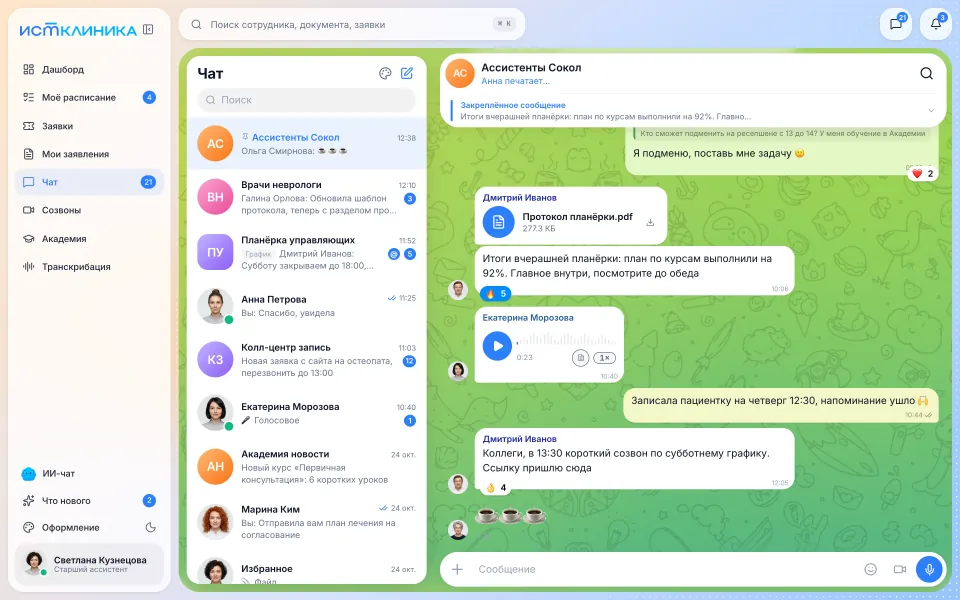
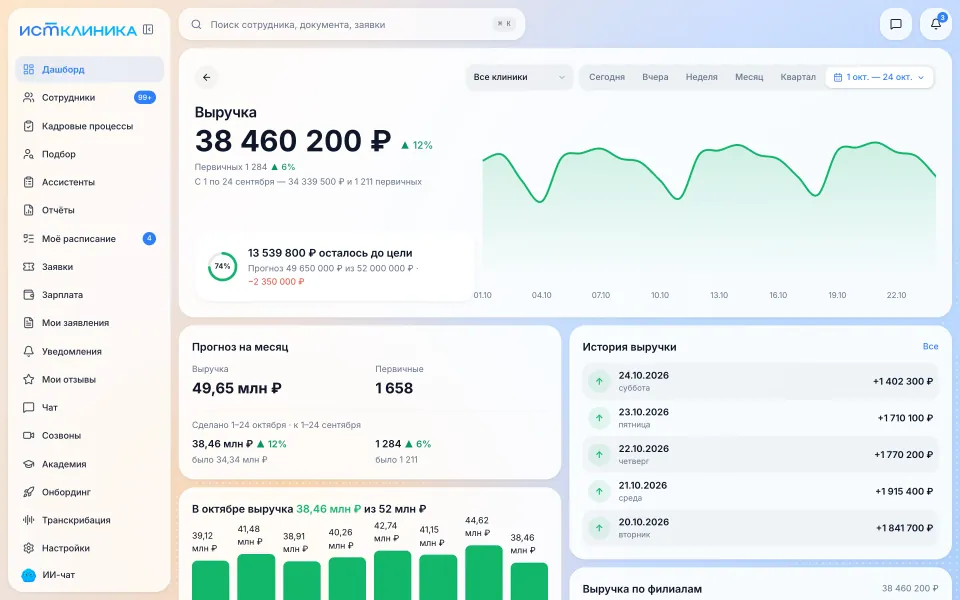
The portal became the workplace of the whole network: schedule, tasks, training and reports in one window. I keep developing it together with the clinic team.
Next.js · PostgreSQL · Prisma · Docker · AI